
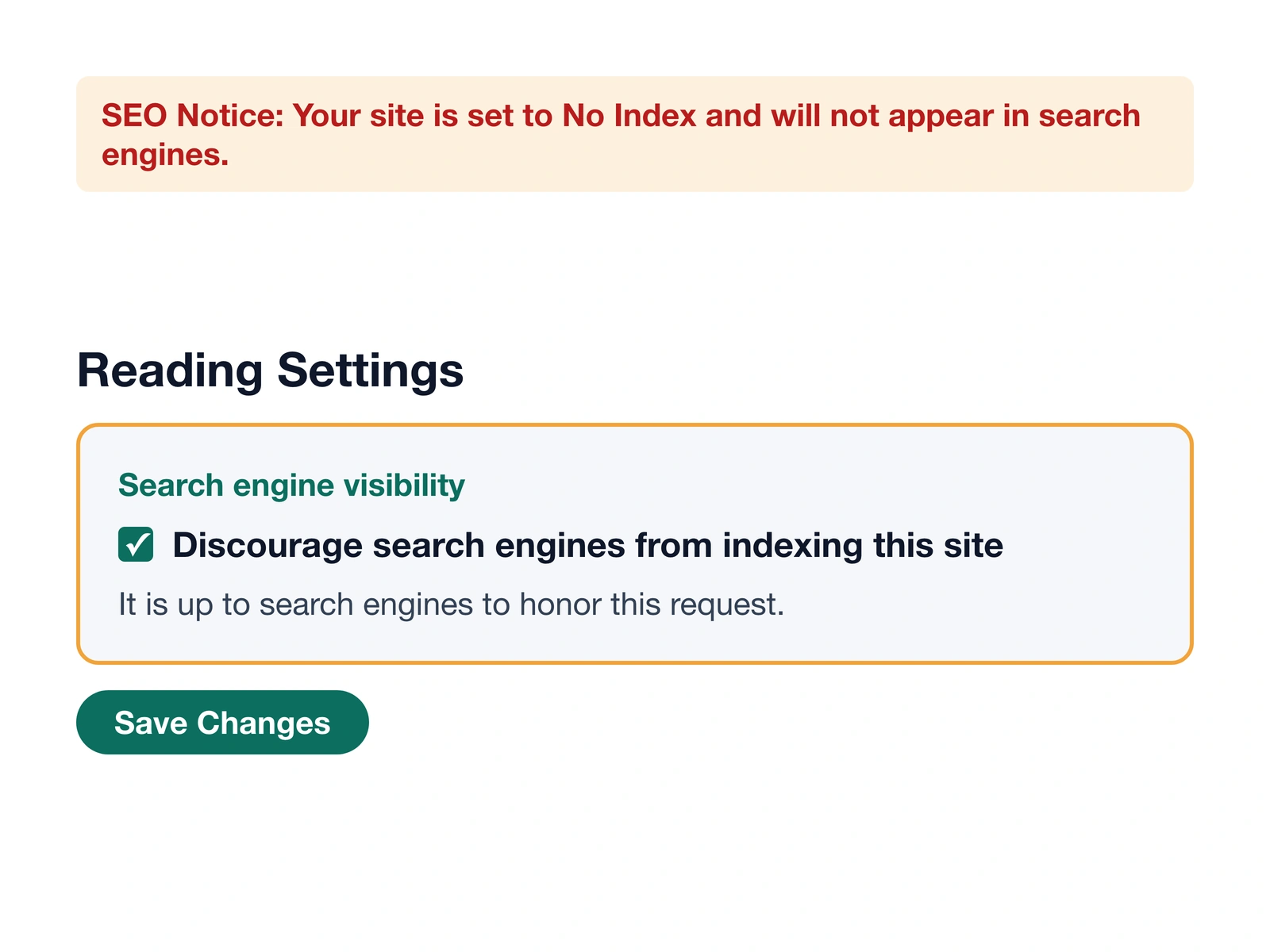
Discourage search engines from indexing this site, explained
By JY.Choi
WordPress’s “Discourage search engines from indexing this site” checkbox, under Settings > Reading, asks search engines not to index the site by adding a robots meta tag containing noindex (and optionally nofollow if a plugin like Rank Math adds it) to every page — it doesn’t block crawlers outright, and they can choose to ignore it.
Summary A single checkbox in Settings > Reading that sets WordPress’s
blog_publicoption to 0, which makes WordPress add anoindexrobots meta tag to every page. It’s a request search engines are expected to honor, not a technical block, and some crawlers can still ignore it.
In this guide
- What does “discourage search engines” mean?
- Why it isn’t a robots.txt block
- How to check whether it’s actually working
- What your robots.txt and sitemap do while it’s on
- When to turn it off
- Common mistakes
What does “discourage search engines” mean?
WordPress’s Settings > Reading screen describes its privacy control as “a single checkbox to ‘discourage’ search engines from indexing the site” (WordPress Developer Resources). Checking it sets the blog_public option to 0, and since WordPress 5.7.0, the core function wp_robots_noindex() uses that setting to add a noindex directive to the site’s robots meta tag on every page (WordPress Developer Resources).

That word — “discourage” — is doing real work in the label. It’s a request WordPress puts in the page’s own markup for well-behaved crawlers to read and respect, not a lock on the front door.
Why it isn’t a robots.txt block
Older versions of WordPress handled this setting differently: before WordPress 5.3.0, the core function do_robots() added a site-wide Disallow: / line to the virtual robots.txt file for non-public sites. WordPress 5.3.0 changed that behavior to stop adding the blanket Disallow: / line, relying on the per-page noindex meta tag instead (WordPress Developer Resources). If you’re used to older guides describing this setting as a robots.txt block, that’s why the behavior looks different now: current WordPress versions handle it through the meta tag on each page instead.
The practical difference matters because a noindex meta tag and a robots.txt disallow line aren’t the same kind of instruction. A meta tag says “don’t index this specific page.” A robots.txt disallow line says “don’t even fetch this page.” Well-behaved search engines generally honor both, but neither is an access restriction — anyone with the URL can still open the page in a browser.
How to check whether it’s actually working
The most direct way to confirm the setting is doing what you expect is to view a page’s source and look for the tag itself, rather than trusting the checkbox alone. On nichestead.com, the live homepage was checked this way during the 2026-09-13 build and again on 2026-09-14, and it output noindex, nofollow in its robots meta tag while the setting was on (wordpress-setup.md).

To check it yourself on any WordPress site: open the homepage, view its page source (not the rendered page), and search for name="robots". If the setting is on, the tag’s content will include noindex.
What your robots.txt and sitemap do while it’s on
With “Discourage search engines” still on, nichestead.com’s robots.txt still listed a Sitemap: https://nichestead.com/sitemap_index.xml line, but the sitemap index itself returned no page entries while the site was in that discouraged state (wordpress-setup.md). In other words, the sitemap file exists and is referenced, but it doesn’t list pages for search engines to crawl until the setting is turned off. That’s worth knowing if you’re checking Search Console or a sitemap validator before launch and the sitemap looks empty — it may be empty because of this setting, not because of a sitemap plugin problem.
When to turn it off
There’s no single “always do this” moment — it depends on whether the site is ready for search engines to see it. Nichestead.com’s own plan is to leave the setting on until the design, trust pages, and its first three published posts are finished, then uncheck it, confirm once more right before launch, and check the page source again to make sure no noindex tag remains (wordpress-setup.md). If you’re building a new site the same way, checking the live page source after unchecking the box is the step that actually confirms the change took effect — the checkbox state alone doesn’t guarantee it.
Common mistakes
Assuming it blocks all crawlers. The noindex tag is a request most major search engines honor, but it isn’t a technical barrier, and some crawlers can ignore it entirely.
Forgetting it’s still on after launch. Because the setting lives on a settings screen most people don’t revisit, a site can stay invisible to search engines long after it was ready to be found. Checking the live page source, not just the checkbox, is the way to be sure.
Expecting the sitemap to list pages while the box is checked. As nichestead.com’s own check showed, the sitemap file can still exist and be referenced in robots.txt without listing any pages while indexing is discouraged.
Bottom line
The checkbox adds a noindex tag to every page through WordPress’s own blog_public setting — it’s a request to search engines, not a robots.txt block, and current WordPress versions have worked this way since version 5.3.0. Confirm it’s doing what you expect by checking the live page source, not just the setting screen.
WP Mail SMTP Gmail 535 error fix
LiteSpeed Purge All not clearing a deleted plugin’s leftover script
how to start a blog
How AI was used: Claude researched this post, wrote it, and made both diagrams, including recreations of nichestead.com admin screens, then checked each claim against the linked WordPress core documentation. JY.Choi, the site’s owner, set the editorial rules; no person reviews posts before they go live.